Assignment
D
Topic of choice: lighting and texturing the polygons of Dunkleosteus,
a prehistoric Devonian era fish I modeled in Winter 2002.
Custom made polygon texture maps wouldn't place right on rendered image.
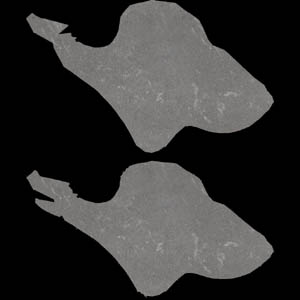
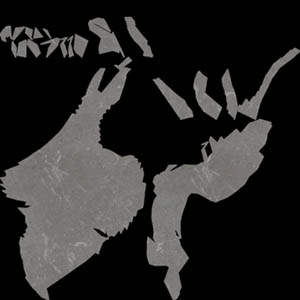
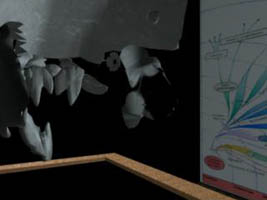
Left: a planar uv map, Middle: the automatic uv mapping, Right: notice
the right side plate -looking at inside aspect. The texture did not apply
correctly.
The shader network from Maya:
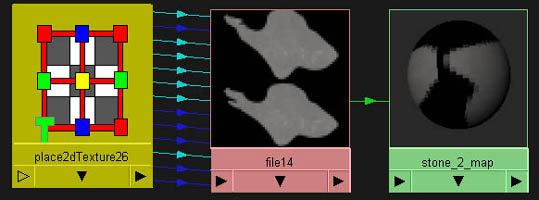
My solution was to
use a non uv mapped custom texture, i.e. I just created a lambert within
the Hypershade window and mapped the tilable texture of this smooth rock
onto it for the color node.
White line problem
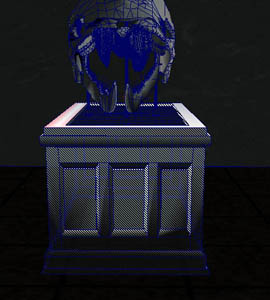 I had a problem texturing
some of the plates that were displaying these white lines. I don't have
an image of the bony plates with the white lines, but I do have one of
the stand with white lines as seen above. When I tried to assign the smooth
stone texture to the bony plates by right mousing on the shader and "assigning
to selected", the shading showed up on the back side of the lower
jaws, but not the front. I tried reversing and extracting normals with
no luck. I then went under "Edit Polygons", "texture",
"planar mapping" and I adjusted the map within the scene window.
It worked. I don't know why.
I had a problem texturing
some of the plates that were displaying these white lines. I don't have
an image of the bony plates with the white lines, but I do have one of
the stand with white lines as seen above. When I tried to assign the smooth
stone texture to the bony plates by right mousing on the shader and "assigning
to selected", the shading showed up on the back side of the lower
jaws, but not the front. I tried reversing and extracting normals with
no luck. I then went under "Edit Polygons", "texture",
"planar mapping" and I adjusted the map within the scene window.
It worked. I don't know why.
Cloth wouldn't map correctly
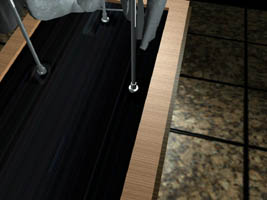
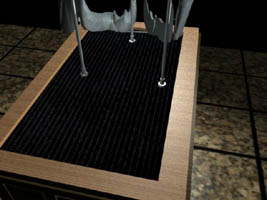
Left: the cloth texture
was planar mapped to the wrong axis. Right: the texture was re-planar
mapped to the correct axis.
To shade the cloth
surface which was an extruded face within the wood polygon surrounding
it, I used "Edit Polygons" "extract." I then ended
up with a mess of separated faces. The majority belonged to the cloth
surface and had to be "combined" again. Then, I learned that
I had to select this transform node in order to apply the cloth to the
surface.